This zone is variable and depends on the selection made in the browser.
Selection of in the browser:
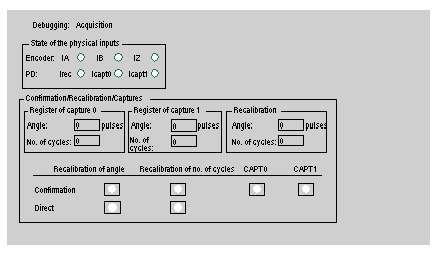
This acquisition zone is used to display the state and activity of the inputs and the and sensors.
The Enable/Recalibrate/Captures zone indicates the current status of the capture and recalibration registers. The buttons are used to confirm the angle and recalibration conditions. The direct recalibration buttons are used to recalibrate the angle and the number of cycles on the rising edge of the action on the button. The capture confirmation buttons are used to confirm the angle and number of cycles capture conditions.
"Left click", the action is a push/pull type of operation on the %Q object unless it is controlled by the application program.
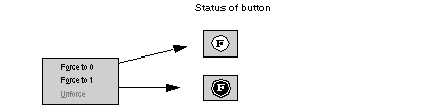
"Right click", opens a pull-down menu which is used to force the function to 0 or 1. The Unforce option is used to remove the forcing in progress. The status of the button indicates forcing in progress.