When all the configuration parameters are entered, enable the configuration obtained using the command Edit/Enable or click on the enabling icon.
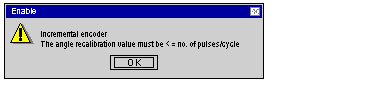
If one or more parameter values is outside the permitted limits, an error message appears indicating the parameter concerned. Correct the parameter then confirm.
NOTE: Incorrect parameters are displayed in red.
Important
-
adjustment parameters are initialized on the first request to confirm the configuration. It is therefore possible that, following modifications of the configuration values, the recipe adjustment parameters will no longer be correct. In this case a message specifies the parameter affected:
Access the recipe adjustment parameters screen, correct the parameter, then confirm.
-
The configuration parameters are actually taken into account:
-
when each of the configuration and adjustment parameters is correct,
-
when they are confirmed in the main screen of the configuration editor.