|
Configuring the electronic cam parameters
|
|


|
(Original Document)
|
|
Configuring the electronic cam parameters
|
|
|
(Original Document)
|
|
Step
|
Action
|
|---|---|
|
1
|
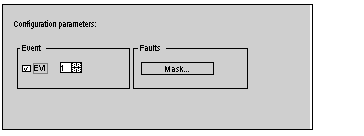
In the browser, double-click on electronic cam.
Result :
 |
|
2
|
If an event-triggered task in the PLC processor is to be assigned to the module:
|
|
3
|
Masking a fault prevents indication of the fault being taken into account in the general channel fault information. The associated check remains active, however, and affects the operating modes of the module.
To mask faults: click on the Mask button.
Result:
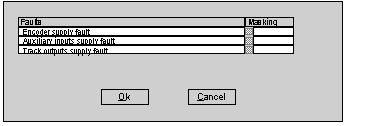 Check the box(es) of the faults which are to be masked and confirm.
|
