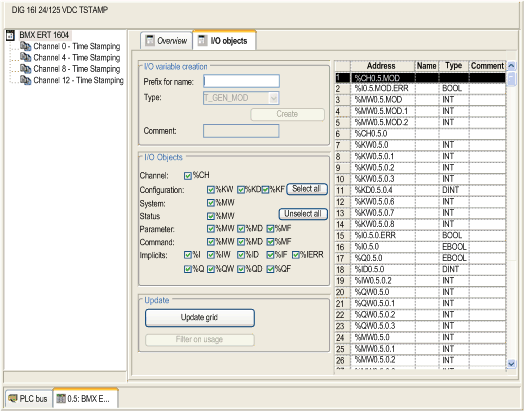
I/O objects tab displays objects, name, and an area for comment.
It allows you to manage I/O objects of the module by using the following functions:
-
Display I/O objects with topological addressing
-
Filter I/O objects
-
Sort I/O objects
-
Create an IODDT instance for the module
-
Pre-symbolize a set of IODDT variables
NOTE: You can create and associate variables to objects, but cannot delete variables from this page.
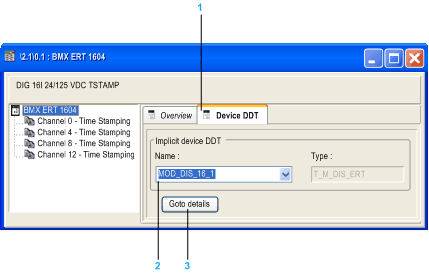
The following figure shows the Device DDT tab for the BMXERT1604T/H module:
1
Device DDT Tab
2
Device name automatically attributed
3
Command button to display device DDT details