


Introduction
| NOTICE | |
|---|---|
To maintain the integrity of the hardware, use only the small, plastic screwdriver that ships with the module to change the switch position.
The use of a metal screwdriver can damage the switch and render it inoperable.
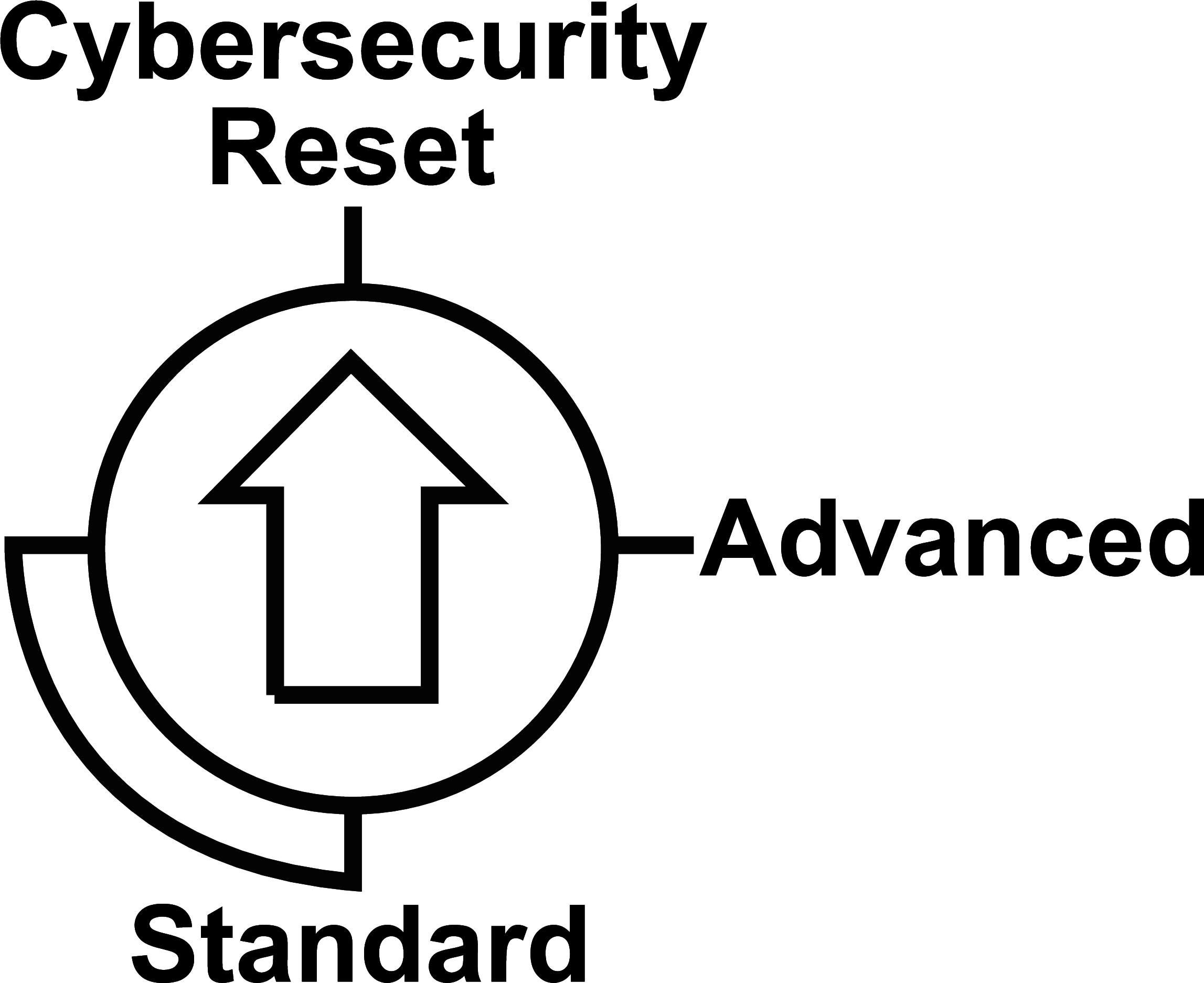
A three-position rotary switch is on the back of the module. Set this switch to configure a cyber security operating mode for the module.
Position Selection
| NOTICE | |
|---|---|
The following “clock positions” are enabled to set the switch:
12 o’clock: Cybersecurity Reset
3 o’clock: Advanced
6 o’clock/9 o’clock: Standard (To implement the level of cyber security, set the switch to only the 6 o'clock or 9 o'clock positions.)
This is an enlarged view of the three-position rotary switch on the back of the module:
Use the screwdriver to select a switch position that meets your cyber security requirements:
Icon |
Setting |
Description |
|---|---|---|
Advanced |
secure mode on |
The module supports some level(s) of cyber security when a cyber security configuration is available. |
Standard |
standard mode on |
The module supports a basic level of cyber security. |
Cybersecurity Reset |
factory reset |
The module implements its out-of-the-box cyber security configuration. |
Set the Switch
Configure the cyber security mode for the module in the rack:
Step |
Action |
|---|---|
1 |
Remove the module from the rack: a. Verify that the module power is OFF. b. Loosen the locating pins at the rear of the module (on the bottom part) in the corresponding slots in the rack. c. Swivel the module toward the bottom of the rack to lift the module off the rack. |
2 |
Change the switch setting to Cybersecurity Reset. |
3 |
Re-insert the module in the rack to power it up in Cybersecurity Reset mode. Result: The module performs a factory reset and is properly powered when the RUN LED is steady green. |
4 |
Remove the module from the rack again. |
5 |
Change the switch setting to Advanced or Standard. |
6 |
Re-insert the module in the rack to power it up in the selected (Advanced or Standard) mode. Result: The module is properly powered when the LED is steady green for both advanced and standard modes. |
If you move the rotary switch from the standard configuration (Standard) directly to the secure configuration (Advanced) or vice-versa, an error is detected.
Always power up the module with the rotary switch in the Cybersecurity Reset position when you transition between the Standard and Advanced modes to implement normal operations.
You can also use the Management dialog on the Setup web page to move the rotary switch to clean all cybersecurity configuration. Click the Cybersecurity Reset button to restore the factory default cyber security settings for the module. A module restart is required.
The changes associated with the switch settings take effect after the module is re-inserted in the rack and powered up.