|
Declaring the Lexium 05 Slave
|
|


|
(Original Document)
|
|
Declaring the Lexium 05 Slave
|
|
|
(Original Document)
|
|
Step
|
Action
|
|---|---|
|
1
|
Select the Insert → Node... command.
Result: a cursor displays:
|
|
2
|
Place the cursor on the bus outside the master frame and click once.
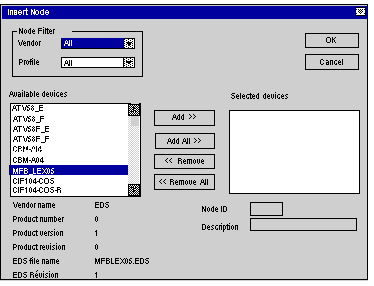
Result: the following screen is displayed:
 |
|
3
|
Select MFB_LEXIUM05 in the list of available devices.
|
|
4
|
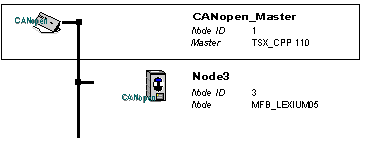
Click on the Add button to insert Node3 into the selected devices list. Click OK.
Result: the following architecture is displayed:
 |
