|
Selection of the SyCon CANopen File in Control Expert
|
|


|
(Original Document)
|
|
Selection of the SyCon CANopen File in Control Expert
|
|
|
(Original Document)
|
|
Step
|
Action
|
|---|---|
|
1
|
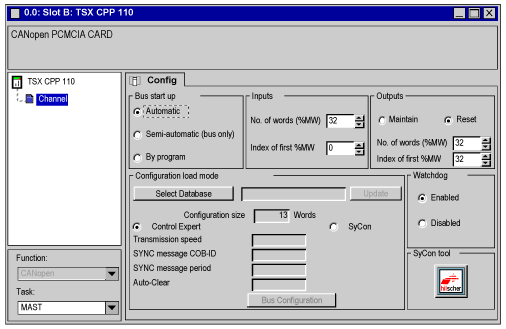
In Control Expert’s Project Browser, fully expand the Configuration directory and then double-click on CANopen.
Result: the card configuration window appears:
 |
|
2
|
In the Configuration load mode area, click on the Select Database button:
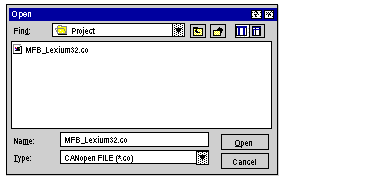
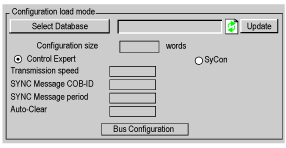 Result: this screen is displayed:
 |
|
3
|
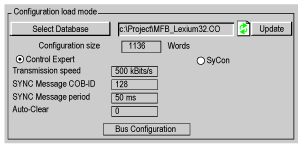
Search and then select the SyCon file MFB_Lexium32.CO and then click on Open.
Result: the number of words reserved for inputs and outputs is recalculated depending on the selected configuration and the configuration appears in the Control Expert configuration screen.
 |
|
4
|
Confirm by clicking on Bus configuration.
Result: the CANopen Bus Configuration window is displayed. Click on Close.
|
|
5
|
Close the 0.1: Slot B: TSX CPP 110 window.
Note: you are advised to use the IODDT T_COM_CPP110 that corresponds to the channel of the TSX CPP 110 card for the rest of the programming.
|
