


Function Description
The PRJ_VERS function allows you to obtain information
about the current project open in Control Expert.
To access this information in Control Expert:
Step |
Action |
|---|---|
1 |
On the menu, click . Results: The PLCScreen opens. |
2 |
Click on the tab. |
3 |
On the left side of the PLCScreen, click . Results: Information about the application is displayed on the right side of the PLCScreen. |
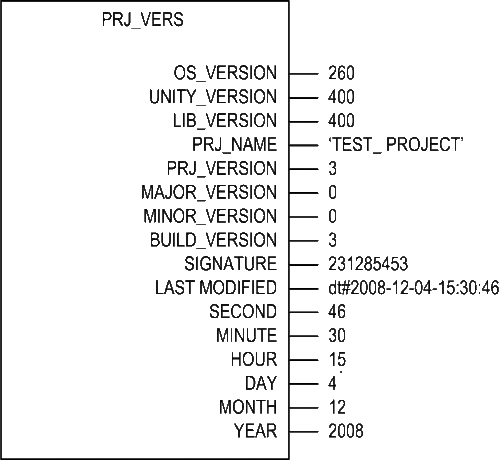
FBD Representation
The representation in FBD of the PRJ_VERS function (with example data) is as follows:
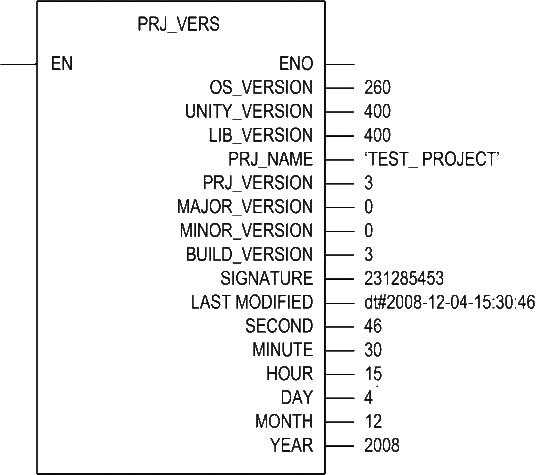
Ladder Representation
The representation in LD of the PRJ_VERS function is (with example data) as follows:
IL Representation
The
representation in IL of the PRJ_VERS function is as follows:
CAL FBI_PRJ_VERS (
OS_VERSION :=> OS_VERSION,
UNITY_VERSION := > UNITY_VERSION,
LIB_VERSION := > LIB_VERSION,
PRJ_NAME := > PRJ_NAME,
PRJ_VERSION := > PRJ_VERSION,
MAJOR_VERSION :=> MAJOR_VERSION,
MINOR_VERSION :=> MINOR_VERSION,
BUILD_VERSION :=> BUILD_VERSION,
SIGNATURE :=> SIGNATURE,
LAST_MODIFIED :=> LAST_MODIFIED,
SECOND :=> SECOND,
MINUTE :=> MINUTE,
HOUR :=> HOUR,
DAY :=> DAY,
MONTH :=> MONTH,
YEAR :=> YEAR
)
ST Representation
The
representation in ST of the PRJ_VERS function is as follows:
FBI_PRJ_VERS(OS_VERSION,
UNITY_VERSION, LIB_VERSION, PRJ_NAME, PRJ_VERSION, MAJOR_VERSION,
MINOR_VERSION, BUILD_VERSION, SIGNATURE, LAST_MODIFIED, SECOND, MINUTE,
HOUR, DAY, MONTH, YEAR);
Parameter Descriptions
The following table describes the PRJ_VERS output parameters:
Parameter |
Type |
Comment |
|---|---|---|
OS_VERSION |
|
Processor version |
UNITY_VERSION |
INT*100 |
Control Expert version |
LIB_VERSION |
INT*100 |
LibSet Version |
PRJ_NAME |
|
Project name |
PRJ_VERSION |
|
Project version |
MAJOR_VERSION |
INT |
Project version (major) |
MINOR_VERSION |
INT |
Project version (minor) |
BUILD_VERSION |
INT |
Build version |
SIGNATURE |
UDINT |
Build signature |
LAST_MODIFIED |
|
Build last |
SECOND |
INT |
Build version modified (secod) |
MINUTE |
INT |
Build version modified (minute) |
HOUR |
INT |
Build version modified (hour) |
DAY |
INT |
Build version modified (day) |
MONTH |
INT |
Build version modified (month) |
YEAR |
INT |
Build version modified (year) |