


Procedure
In this example, the data is to be written into a file, which is then to be closed, after which it is re-opened to read the data from the same file. The table below describes the procedure to follow for this example:
Step |
Action |
|---|---|
1 |
Execute the Result: A unique and temporary
identification number is assigned to the opening instance as a FileDesc
output. (In this case, we have assigned value 5 to this output. Use
this value to declare the FileDesc input variable for the The graphic below is a representation of the function after execution: 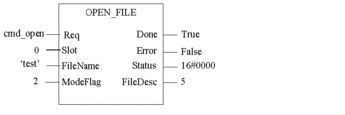 Disable |
2 |
In the |
3 |
Execute the Result: the value of the variable is written into the test file. The graphic below is a representation of the function after execution: 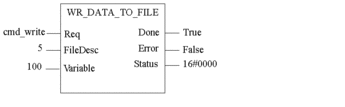 Disable |
4 |
Execute the Result: The file is closed and the FileDesc identification number is freed for use at a later date. The graphic below is a representation of the function after execution: 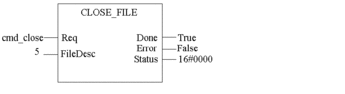 Disable |
5 |
Execute the Result: It
is a new opening instance, so a new FileDesc number is assigned, in
this case 6. Use these values to declare the FileDesc input variable
for the The graphic below is a representation of the function after execution: 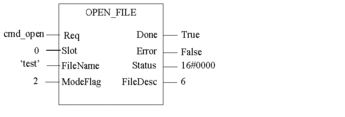 Disable |
6 |
In the The graphic below is a representation of the function before execution: 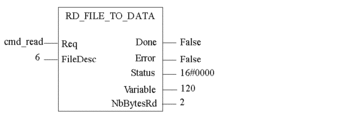 |
7 |
Execute the Result: The function reads
the file data, i.e., the value of the variable written beforehand
with the The graphic below is a representation of the function after execution:  Disable |
8 |
Execute the Result: The file is closed and the FileDesc identification number is freed for use at a later date. The graphic below is a representation of the function after execution: 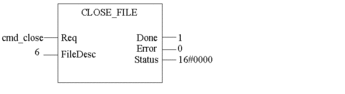 Disable |