


Function Description
The DELETE_FILE function enables deletion of the
file named FileName.
When using the DELETE_FILE function, always close an opened file before
deleting it using the CLOSE_FILE function. Otherwise:
The opened file counter is not updated, opened files limitations.
The
FileDescriptor(FD) output parameter is not released.
| WARNING | |
|---|---|
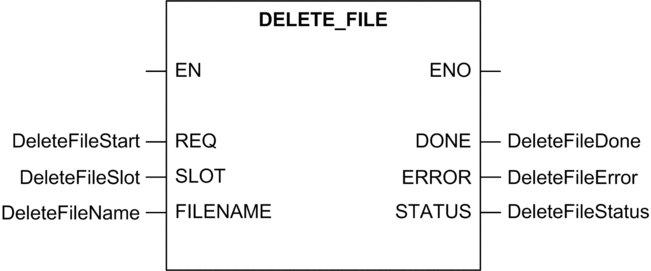
The additional parameters EN and ENO can be configured.
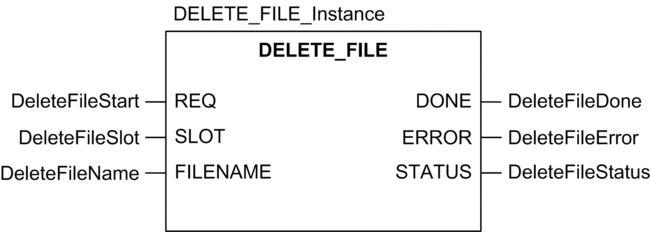
FBD Representation
The representation in FBD of the DELETE_FILE function is as follows:
Ladder Representation
The representation in Ladder of the DELETE_FILE function is as follows:
IL representation
Representation:
CAL DELETE_FILE_Instance (REQ:=DeleteFileStart, SLOT:=DeleteFileSlot, FILENAME:=DeleteFileName, DONE=>DeleteFileDone, ERROR=>DeleteFileError, STATUS=>DeleteFileStatus)
ST representation
Representation:
DELETE_FILE_Instance (REQ:=DeleteFileStart, SLOT:=DeleteFileSlot, FILENAME:=DeleteFileName, DONE=>DeleteFileDone, ERROR=>DeleteFileError, STATUS=>DeleteFileStatus);
Parameter Description
The following table describes the input parameters:
Parameter |
Type |
Comment |
|---|---|---|
|
|
This parameter specifies the memory card slot (always at zero). |
|
|
This parameter specifies the name of the file to delete. Maximum number of characters : 64 |
Description of common parameters.