


Function Description
The OPEN_FILE function enables a file named FileName
to be opened (in the \DataStorage\ directory). The file must
already exist. The argument mode has one of the following values: O_RDONLY, O_WRONLY, O_RDRW.
The file is opened in binary mode. This means that there is no translation of specific characters like CTRL-Z (EOF marker) or carriage return/line break.
A maximum number of 16 files can be opened simultaneously.
If you use the simulator mode the file is opened in the temporary user folder.
To access the file by FTP refer to this page.
This will be used when you close the file. If you open a new file without closing the previous one, a new FileDescriptor parameter value is returned, and you will not be able to close the previous file.Therefore you should save the FileDescriptor parameter after opening a file.
When the maximum number of opened files is reached, an error is returned if you try to open any further files.
The additional parameters EN and ENO can be configured.
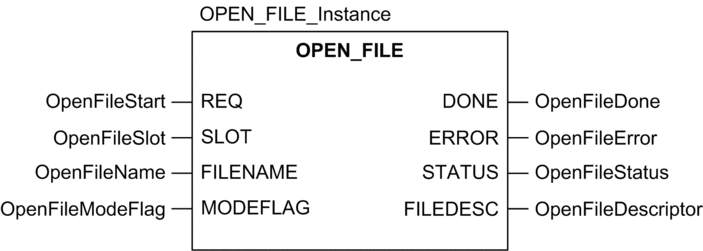
FBD Representation
The representation in FBD of the OPEN_FILE function is as follows:
Ladder Representation
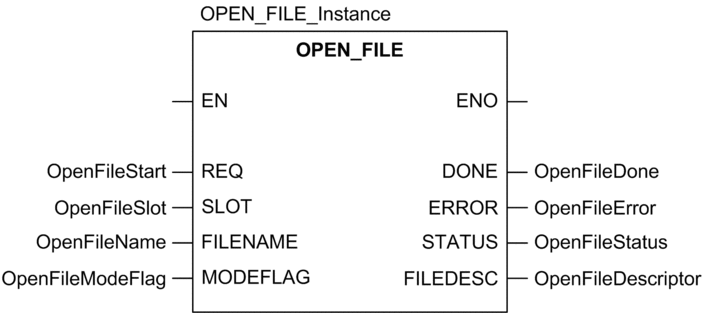
The representation in Ladder of the OPEN_FILE function is as follows:
IL representation
Representation:
CAL OPEN_FILE_Instance (REQ:=OpenFileStart, SLOT:=OpenFileSlot, FILENAME:=OpenFileName, MODEFLAG:=OpenFileModeFlag, DONE=>OpenFileDone, ERROR=>OpenFileError, STATUS=>OpenFileStatus, FILEDESC=>OpenFileDescriptor)
ST representation
Representation:
OPEN_FILE_Instance (REQ:=OpenFileStart, SLOT:=OpenFileSlot, FILENAME:=OpenFileName, MODEFLAG:=OpenFileModeFlag, DONE=>OpenFileDone, ERROR=>OpenFileError, STATUS=>OpenFileStatus, FILEDESC=>OpenFileDescriptor);
Parameter Description
The following table describes the input parameters:
Parameter |
Type |
Comment |
|---|---|---|
|
|
This parameter specifies the slot address of the memory card (always has address 0). |
|
|
This parameter specifies the name of the file to open. |
|
|
This parameter specifies the opening mode.
|
The following table describes the output parameters:
Parameter |
Type |
Comment |
|---|---|---|
|
|
This parameter allows the DATA_STORAGE function to access the file. |
Description of common parameters.