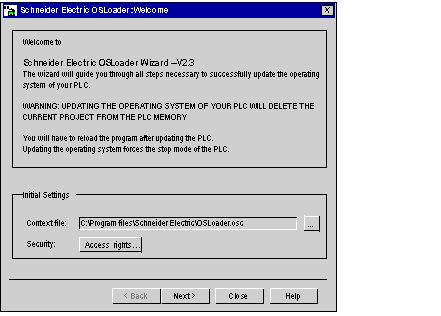
The following sections describe major elements of the Welcome screen which appears at OSLoader startup.
Choose the context file in this field. The last communication type, devices detected and the addresses are saved in this file. When OSLoader is reopened, details are available immediately.
The last context file used is shown in the input field.
Use the ... (Find) button to choose the context file (or its path) in which OSLoader will operate.
Use the Access rights... button to view the rights associated with the current user profile. If you click on the Access rights... button while the security function is turned off, an error message is displayed.
Use the navigation buttons, located at the bottom of the screen, as follows:
Next:
to proceed to the next step
Close:
to exit the software
Help:
to access the online help