


Introduction
The web page provides this information about the CPU:
Ethernet service diagnostic information
Version descriptions for installed firmware and software
CPU description and operating state
IP addressing settings
Open the Page
Access the page on the tab ():
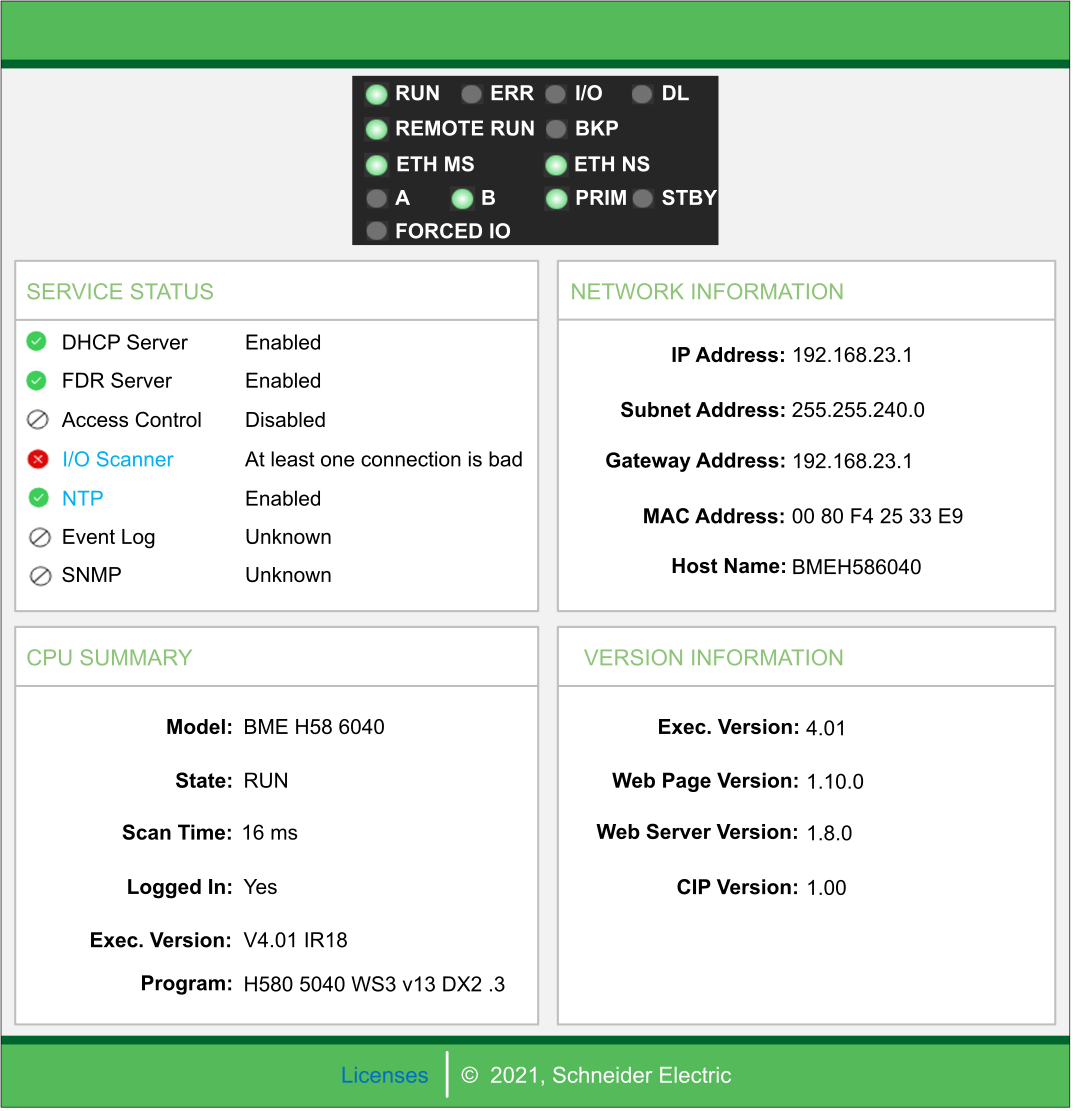
Diagnostic and Status Information
The web page provides this information:
Parameters |
Description |
|
|---|---|---|
LEDs |
The web page displays the state of these LEDs: |
|
|
|
|
NOTE: The LEDs
on the web page behave the same as the LEDs on the CPU.
|
||
|
This area presents information describing the status of CPU Ethernet services. The colored icons appearing to the left of some items indicate the following status: |
|
green |
The available service is operational and running. |
|
red |
An error is detected in an available service. |
|
black |
The available service is not present or not configured. |
|
The status of these Ethernet services is included: |
||
|
|
|
|
This area describes the software versions that are running on the CPU, including: |
|
|
|
|
|
This area describes the CPU hardware and the applications that are running on the CPU, including:
|
|
|
This field contains IP addressing settings for the CPU, including:
|
|