|
Using BMXERT1604T/H in Control Expert
|
|


|
Original instructions
|
|
Using BMXERT1604T/H in Control Expert
|
|
|
Original instructions
|
|
Component
|
Version
|
|---|---|
|
Unity Pro/Control Expert
|
V 7.0 (1)or later
|
|
Modicon M340 processor
|
OS V2.5 or later
|
|
Modicon M580 processor
|
OS V2.0 or later
|
|
Step
|
Action
|
|---|---|
|
1
|
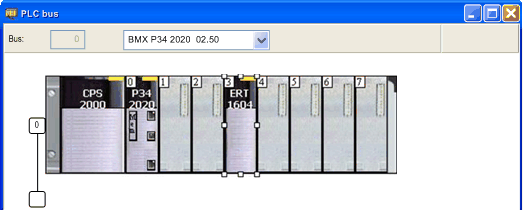
Double-click the rack slot which you want to insert the BMXERT1604T/H module to open the New Device dialog box.
|
|
2
|
Expand Discrete in the Part Number column to view the list of discrete modules.
|
|
3
|
Double-click the BMXERT1604 or BMXERT1604.2 module depending on the firmware version you have in the module.
NOTE: Choosing the BMXERT1604.2 device module allow time synchronization with CPU or CRA head modules via X-bus. Set the data model (Device DDT or topological) if necessary, depending on the location of the module.
|