|
Creating a Program in LD for Application Execution
|
|


|
Original instructions
|
|
Creating a Program in LD for Application Execution
|
|
|
Original instructions
|
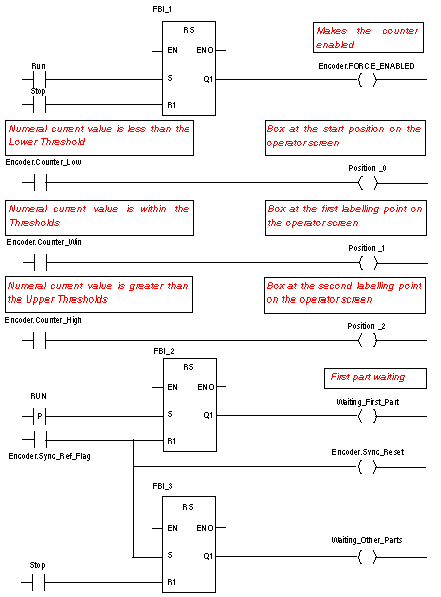
|
Step
|
Action
|
|---|---|
|
1
|
In Project Browser\Program\Tasks, double-click on MAST.
|
|
2
|
Right click on Section then select New section. Name this section Application, then select the language type LD.
The Edit window opens.
|
|
3
|
To create the contact Encoder.Sync_Ref_Flag, click on
 then place it in the editor. Double-click on this contact then on then place it in the editor. Double-click on this contact then on  . The Instance Selection window opens. Validate the Inside structure checkbox and click on . The Instance Selection window opens. Validate the Inside structure checkbox and click on  in front of the Encoder variable and select Sync_Ref_Flag in the list. Confirm with OK. in front of the Encoder variable and select Sync_Ref_Flag in the list. Confirm with OK. |
|
4
|
To use the RS block you must instantiate it. Right click in the editor then click on Select data and on
 . Click on the Function and Function Block Types tab. Click on Libset and select the RS block in the list then confirm with OK and position your block. To link the Encoder.Sync_Ref_Flag contact to the S Rnput of the RS block, align the contact and the input horizontally, click on . Click on the Function and Function Block Types tab. Click on Libset and select the RS block in the list then confirm with OK and position your block. To link the Encoder.Sync_Ref_Flag contact to the S Rnput of the RS block, align the contact and the input horizontally, click on  and position the link between the contact and the input. and position the link between the contact and the input. |
