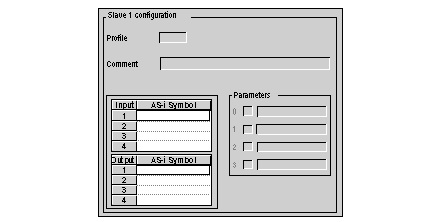
The Slave 1 configuration area of the configuration screen shows the data associated with the slave selected in the AS‐interface configuration area.
The data in the Slave 1 configuration area cannot be modified from this screen; the parameters can only be activated or deactivated.
The Slave 1 configuration area allows you to view:
-
The Parameters: they are determined by the type of device selected. They are user-defined when a profile has been added and can be modified from the Define AS-Interface Profile screen.
The checkboxes can be used to activate or deactivate the parameters, which are all activated by default.