|
Axis Creation and Configuration
|
|


|
(Original Document)
|
|
Axis Creation and Configuration
|
|
|
(Original Document)
|
|
Step
|
Action
|
|---|---|
|
1
|
Right-click the Motiondirectory and then execute the New axis command in the contextual menu.
|
|
2
|
Clicking the New axis command will open a dialog box with three tabs.
|
|
3
|
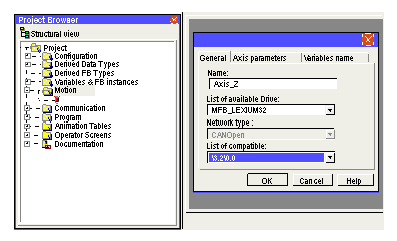
In the General tab,
Note: if the CANopen addresses have not as yet been defined, leave <No link> in the list. It is possible to continue development of the application if <No link> is assigned to a compatible CANopen address.
When the CANopen addresses have been defined, select the compatible address in the list.
In this tab, the Axis_Z is configured as follows:
 |
|
4
|
In the Axis Parameters tab, select:
In this tab, the Axis_Z is configured as follows:
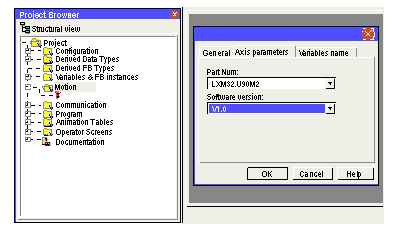 Note: you are advised to check for consistency between the version of the servodrive firmware and the version declared in Control Expert.
|
|
5
|
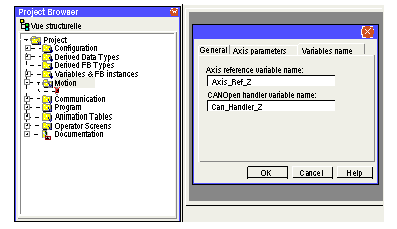
In the Variables Name tab, enter:
In this tab, the Axis_Z is configured as follows:
 |
|
6
|
Click OK to confirm the selections.
|
|
7
|
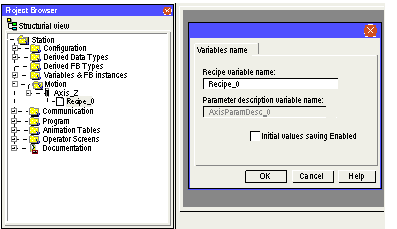
Right-click the Recipe_0 sub-directory and then select Properties in the contextual menu. It is then possible to modify the recipe and parameter variables created by default when creating the axis, and to enable the saving of the initial values.
NOTE: Ticking the Initial values saving Enabled checkbox allows you to include the recipe in the application. This functionality is available for Premium V2.6 or later firmware version. In this window, the variables for the Axis_Z are named by default as follows:
 |
|
8
|
Click OK to confirm the configuration.
|
